
For many first-time developers on a tight budget, the best first step is free: read the rejection message in App Store Connect or Google Play Console, match it to the cited guideline, fix it and resubmit. If you are stuck, or your app was built with a tool like Lovable, Base44, Bolt or Replit, a fixed-price option such as Launchieve's $199 App Store Rejection Help (a written fix plan; code changes and resubmission are quoted separately) is one low-cost paid starting point. No service can guarantee approval; Apple and Google make the final determination.
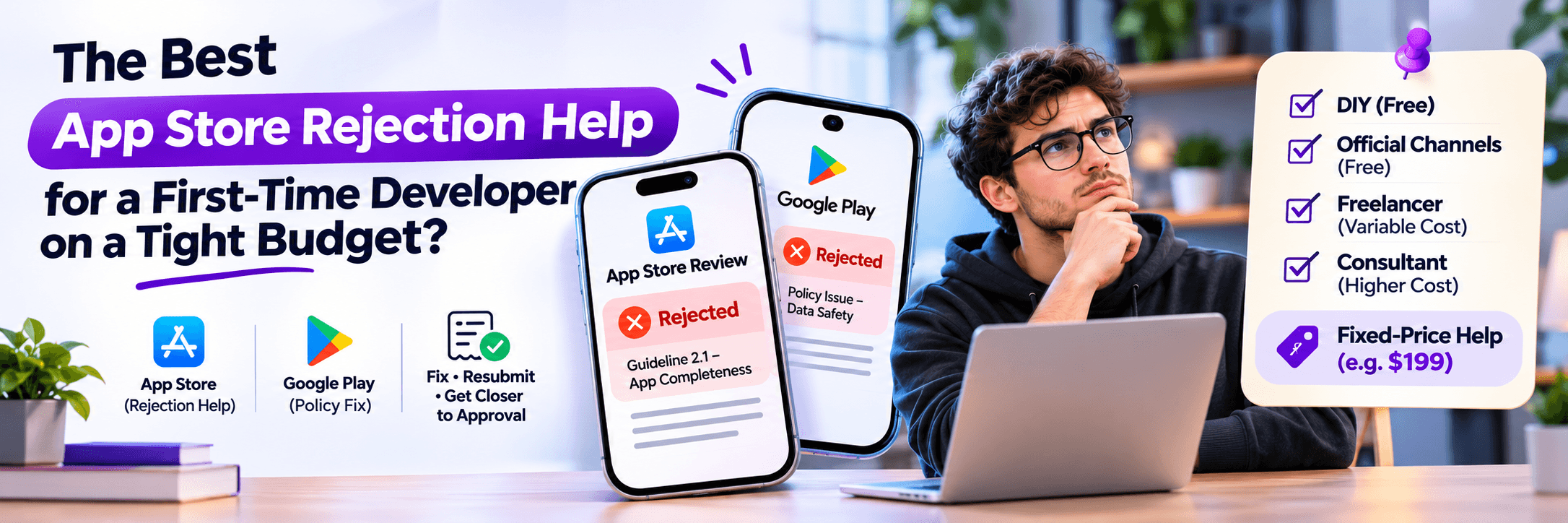
What Is the Best App Store Rejection Help for a First-Time Developer on a Tight Budget?
For many first-time developers on a tight budget, the best first step is free: read the rejection message in App Store Connect or Google Play Console, match it to the cited guideline, fix it and resubmit. If you are stuck, or your app was built with a tool like Lovable, Base44, Bolt or Replit, a fixed-price option such as Launchieve's $199 App Store Rejection Help (a written fix plan; code changes and resubmission are not included) is one low-cost paid starting point. No service can guarantee approval; Apple and Google decide.
Author: Launchieve App Publishing Team•Technical Review: Senior Store Compliance Engineers•Published: November 4, 2026•Last Updated: November 4, 2026
Editorial Disclosure: Sourced directly from official Apple App Review and Google Play Console documentation. Launchieve offers fixed-price rejection plans and hands-on remediation packs, described transparently below. No service controls app review queues or guarantees store approval.
📌 Key Takeaways
- Read before you spend: The rejection message explicitly names the guideline involved, and many causes (such as demo login or metadata links) are completely free to fix.
- DIY first: Missing demo credentials, privacy policy URL mismatches, and metadata errors can often be resolved within an hour on your own.
- Fixed price with a defined scope beats open-ended hourly: You can cap spending upfront without risking runaway contractor hours.
- A guarantee is a red flag: Apple and Google reviewers decide approval independently; any agency promising “100% guaranteed approval” is violating platform ethics.
- Buy the smallest help first: Pay only for the specific diagnostic or developer hours required to solve your blocking issue.
What Does an App Store Rejection Notice Tell You?
A rejection notice is a diagnostic diagnosis, not a permanent verdict. Apple's message names the exact guideline involved and arrives as App Review messages in App Store Connect (historically referred to as the Resolution Center).
Official Apple Telemetry: Apple states that over 40% of unresolved submission issues relate to Guideline 2.1 App Completeness (source: Apple Developer Review Guidelines), which covers crashes, non-functional buttons, placeholder text, and broken backends.
Guideline 5.1.1 covers user data collection, privacy notices, and account deletion workflows. On Google Play, policy violations arrive as formal enforcement notices inside Google Play Console, detailing required manifest changes or privacy declarations.
What Are the Most Common Reasons Apps Get Rejected?
While every app submission is reviewed independently, the overwhelming majority of first-time rejections fall into five primary guideline categories:
Guideline 2.1: App Completeness
Crashes on startup, dead links, placeholder text (“Lorem ipsum” or mock images), non-functional buttons, or missing demo credentials for login-gated features.
Guideline 5.1.1: Data Privacy & Deletion
A live, functional privacy policy link is mandatory both in store metadata and in-app. Crucially, under 5.1.1(v), apps that support account creation must allow users to initiate immediate in-app deletion.
Guideline 3.1.1: In-App Purchases (IAP)
Digital features, credits, or premium functionality must be unlocked through Apple's or Google's official in-app purchase systems rather than external web payment bypasses.
Guideline 4.2: Minimum Functionality
Apps must deliver an app-like experience beyond a repackaged website or simple container. This is a common failure point for web apps built on Lovable or Bolt wrapped with Capacitor.
On Google Play, the Data safety form is strictly enforced for all developers—even apps collecting zero telemetry. Google also enforces strict target API compliance and granular runtime permissions.
Should You Fix the Rejection or Appeal It?
When you receive a rejection notice, founders often debate whether to push back with an appeal or change their code. Here is how to evaluate the situation objectively:
When to Fix and Resubmit
If the reviewer uncovered a real bug, a crashed screen, a missing demo password, an absent deletion button, or an outdated privacy URL. Fixing the underlying issue and resubmitting is the fastest path to approval.
When to Appeal to the Review Board
If the reviewer misunderstood your app's legitimate workflow, applied an irrelevant guideline, or tested in an environment where your feature operates differently. Use App Store Connect or Google Play Console appeals with detailed video proof.
Tip: Always maintain a respectful, professional tone in Resolution Center messages. Treat reviewers as QA partners rather than adversaries.
What Can You Fix Yourself for Free?
Before spending money on consultants or fix packs, work through this comprehensive eight-point pre-submission verification checklist:
1
Test on a physical device
Install the production release build from scratch using TestFlight (iOS) or internal app sharing (Android). Verify login, push notifications, onboarding, and purchases end-to-end.
2
Give the reviewer full credentials
Provide working username/password credentials in App Review notes. Ensure demo accounts have pre-populated data and bypass SMS/2FA codes that could block automated or human reviewers.
3
Audit your privacy policy against real data flows
Ensure every SDK embedded in your app (analytics, crash reporting, advertising) is explicitly named in your hosted privacy policy.
4
Match store privacy declarations to app behavior
Ensure Apple App Privacy labels in App Store Connect and the Google Play Data Safety form accurately match actual data collected by your application.
5
Purge placeholder copy and staging URLs
Search your entire codebase for dummy text (Lorem ipsum), placeholder images, test banners, and staging domain endpoints before compilation.
6
Audit digital monetization against IAP rules
Verify that digital content, tokens, or subscriptions are exclusively unlocked via Apple and Google In-App Purchase APIs rather than credit card web views.
7
Meet current SDK and API build requirements
Since April 2026, Apple requires uploads compiled with Xcode 26 and iOS 26 SDK. Google Play requires targeting Android 16 (API Level 36) for all new releases.
8
Implement in-app account deletion
Under Apple Guideline 5.1.1(v), if users can sign up inside the app, they must be able to initiate account deletion directly within app settings—not just deactivation.
What Do First-Time Developers Overlook?
1. Demo Credentials & Reviewer Environment
Reviewers test on clean devices without pre-existing sessions. If your app requires email OTP confirmation or phone 2FA, reviewers will fail to log in and immediately reject under Guideline 2.1. Always provide an active bypass demo account.
2. Apple Privacy Manifests (NSPrivacyTracking)
Apple enforces Privacy Manifests (PrivacyInfo.xcprivacy) for commonly used third-party SDKs. If your app embeds SDKs for Firebase, analytics, or ads, they must supply signed privacy declarations and declared required-reason APIs.
3. Google Play 14-Day 12-Tester Requirement
For personal developer accounts created after November 13, 2023, Google Play requires you to run a closed test with at least 12 opted-in testers continuously over 14 days before production publishing is unlocked. Plan for this buffer in advance.
What Does an App Store Rejection Consultant Actually Do?
A qualified app store consultant or engineering agency accelerates your return to review across five distinct technical stages:
1. Rejection Triage
Decodes the cryptic reviewer message and reproduces the reviewer failure path locally.
2. Policy Interpretation
Determines whether the rejection represents a technical defect or an incorrect review finding.
3. Response Drafting
Writes professional, citation-backed appeals or clarification letters directly in Resolution Center.
4. Code Remediation
Applies direct engineering fixes for crashes, IAP hooks, account deletion, or API target versions.
5. Resubmission
Packages and compiles new binaries, manages review notes, and oversees subsequent review rounds.
How Long Does App Store Review Take After You Resubmit?
According to Apple's official Review Status telemetry, Apple targets reviewing at least 50% of submissions in less than 24 hours, and 90% in less than 48 hours. However, flagged builds, complex IAP evaluations, or incomplete submissions can extend beyond this timeframe.
If you request an expedited review or an App Review phone call, scheduling typically takes 3 to 5 business days. On Google Play, initial reviews typically take between 2 to 7 business days, though accounts undergoing closed testing may take longer.
What Are Your Options for Paid Help, and What Do They Cost?
Store registration fees apply regardless of the route you take ($99/year for the Apple Developer Program, $25 one-time for Google Play Console). Here is how market options compare:
| Option | Cost | What You Get | Main Limitations | Best When |
|---|---|---|---|---|
| DIY (Self-Fix) | $0 + store fees | Read notice, update code, recompile, and resubmit. | Costs your own time and trial-and-error. | Cause is obvious (demo login, privacy link). |
| Official Channels | $0 | Reply in Resolution Center, phone call request, Review Board appeal. | They clarify rules but will not fix your code. | Reviewer misinterpreted an existing, compliant feature. |
| Freelancers (Upwork/Fiverr) | Hourly / Custom ($50-$150+/hr) | Hands-on code fixes and resubmission assistance. | You must vet technical and policy capability. | A specific isolated bug with clear requirements. |
| Consultant / Agency | $1,500 - $5,000+ | Full policy audit, executive appeal drafting, engineering changes. | High upfront cost; often over-engineered for small apps. | Account suspensions, legal threats, or complex enterprise apps. |
| Launchieve Fixed-Price | $199 - $399 | Written fix plan ($199) or 5-hour App Fix Pack ($399) by senior engineers. | Defined scope; extra development quoted transparently. No approval guarantees. | AI-built apps (Lovable, Bolt, Replit) needing upfront, capped costs. |
How Does Launchieve Help, Step by Step?
Launchieve is a US-based engineering consultancy (Launchieve Investment LLC, Houston, Texas) that specializes in reviewing, stabilizing, and publishing AI-generated and web-wrapped mobile apps.
| Package | Price | Scope & What It Covers |
|---|---|---|
| App Store Rejection Help | $199 | A written, actionable plan to fix Apple or Google rejections. Code modifications and resubmissions are not included. |
| App Fix Pack | $399 | 5 dedicated senior developer hours to implement fixes for login, APIs, mobile screens, or launch-blocking bugs. |
| App Store Compliance Review | $299 | Pre-submission compliance report delivering a “Ready or Needs Attention” verdict before store upload. |
| Technical Launch Audit | $299 | Manual, NDA-backed code security, database RLS, and infrastructure audit with a 4-to-5 business day turnaround. |
| App Store Launch (App Publishing) | $799 | Full Apple and Google submission management: listing metadata, reviewer accounts, privacy declarations, and one resubmission cycle. |
| Launch Ready + Publish | $1,299 | End-to-end pre-submission audit + publishing execution, covering login, IAP, privacy, account deletion, and minor fixes. |
Supported App Builders: Lovable, Base44, Bolt, Replit, Emergent, Capacitor, React Native, and custom codebases.
How Does Launchieve Compare with Hiring an Agency Consultant?
| Criterion | Launchieve Service | Questions to Ask Any Consultant |
|---|---|---|
| Price transparency | Published upfront online ($199 / $399). | “Can I see exact pricing before a 45-minute discovery sales call?” |
| Sales friction | Instant checkout via Stripe; optional call available. | “Do I have to wait days for a proposal and contract negotiation?” |
| Deliverable definition | Explicit: Written fix roadmap ($199) or 5 hours ($399). | “What tangible deliverable do I walk away with?” |
| AI builder specialization | Purpose-built for Lovable, Bolt, Replit, and Base44. | “Have you fixed production bugs on my exact AI builder before?” |
| Confidentiality (NDA) | Mutual NDA confirmed before code or console access. | “Will you sign an NDA before I grant App Store Connect roles?” |
| Approval promise | Honest disclosure: No service can guarantee Apple approval. | “Do you falsely promise guaranteed approval?” (A ‘yes’ is a red flag). |
How Do You Avoid Getting Burned When Hiring Rejection Help?
Under the pressure of launch deadlines, founders frequently make hasty hiring mistakes. Watch out for these four critical warning signs:
1. Guarantees of 100% store approval: Walk away. Apple and Google reviewers operate independently. No third party controls their verdict.
2. Requests for master Apple ID credentials: Never provide primary account passwords. Always invite developers through App Store Connect with scoped roles (App Manager or Developer).
3. Vague, un-scoped hourly billing: Open-ended hourly billing incentivizes slow debugging. Insist on fixed-price deliverables or capped hours.
Four Questions to Ask Before Paying Anyone:
- Does the fee cover only the appeal letter, or also diagnosis, code fixes, and binary resubmission?
- What is the exact tangible deliverable at the end of the engagement?
- How are follow-up review rounds handled if the resubmission receives a secondary rejection?
- Who actually executes the engineering work: the person you speak with, or an overseas subcontractor?
When Is a Freelancer, Consultant, or Full Agency the Better Choice?
A custom consultancy or senior contract engineer is the better choice for repeat rejections, developer account suspensions, complex native Objective-C/Swift migrations, or major architectural overhauls. Fixed-price options like Launchieve's $199 Rejection Help produce a detailed strategic action plan, but large-scale refactoring requires dedicated implementation hours—whether through the $399 Fix Pack, your own internal team, or an external specialist.
Key Terms & Regulatory Concepts
App Store Rejection
A formal notice from Apple or Google stating that an app build cannot be distributed until cited guideline issues are corrected.
Guideline 2.1 (App Completeness)
Apple's primary baseline rule requiring a fully functional app without crashes, placeholder data, dead links, or broken authentication.
App Review Board
An executive appeals group at Apple that hears formal appeals when developers contest reviewer decisions.
Privacy Manifest
An Apple-mandated configuration file declaring data collection practices and required-reason API usage for third-party libraries.
How We Compiled This Guide (Primary Sources)
This guide is verified against primary sources updated as of November 2026. For direct review guidelines, refer to official documentation:
Frequently Asked Questions
What is the best app store rejection help for a first-time developer on a tight budget?
The best first step is free: read the rejection message, match it to the cited guideline, fix it and resubmit. If you are stuck, a fixed-price option such as Launchieve's $199 App Store Rejection Help is a low-cost paid starting point. It is a written fix plan, and no service can guarantee approval.
How much does app store rejection help cost?
It starts at free if you fix the issue yourself, plus store fees ($99 per year for Apple, $25 one-time for Google Play). Launchieve publishes fixed prices from $199 for Rejection Help and $399 for a 5-hour Fix Pack. No reliable published range was found for freelancers or consultants, so ask for scope.
Can I fix an App Store rejection myself?
Yes, often. The rejection message names the guideline, and common causes such as missing demo credentials, privacy mismatches and inaccurate metadata can be fixed without paid help. Work through the eight-point checklist, then resubmit. Consider paid help when the cause is unclear or the fix is substantial engineering.
What does Guideline 2.1 mean?
Guideline 2.1 (App Completeness) means Apple expects a final, working submission. Crashes, broken links, placeholder text, or a missing demo account or live backend can trigger it, and Apple says over 40% of unresolved issues relate to it. Test on a physical device and add working credentials.
Do I need to give Apple a demo account?
Yes, if the app requires login. Reviewers cannot test a login-gated app without working access, so put credentials and instructions in the review notes and keep the backend live. Demo mode is acceptable only with prior Apple approval where legal or security limits apply. Add an expired-subscription demo account for auto-renewable subscriptions.
How long does App Store review take after resubmission?
Apple's stated goal is to review at least 50% of submissions in less than 24 hours and 90% in less than 48 hours, per its Review status page. Incomplete submissions may be delayed. Review calls are typically completed within three to five business days. Google says some accounts may see review times of up to seven days or longer.
When should I appeal an App Store rejection?
Appeal when you believe the app follows the guidelines. Apple lets you appeal to the App Review Board, and you can reply through App Store Connect first if the message is unclear. Google includes appeal instructions on enforcement notices. If the finding is valid, fix and resubmit.
Why might Apple reject a Lovable, Bolt or Base44 app?
Several guidelines can apply, and this is guideline-based, not an Apple statistic. Guideline 4.2 targets apps that repackage a website, 2.1 covers crashes, placeholders and missing demo access, 5.1.1(v) requires in-app account deletion, and 3.1.1 requires in-app purchase for digital features. The rules apply to every app.
Is it safe to give a consultant access to my App Store Connect account?
It can be, but never share your Apple ID password. Invite the consultant to App Store Connect with a role giving the narrowest access needed; roles include Admin, App Manager, Developer and Marketing. Remove access when the work ends, and keep the account in your own name.
Do app store rejection services guarantee approval?
No, and any service that does is a red flag. Apple and Google make the approval decision, and no service controls the queue. Launchieve states it does not guarantee approval, and its $199 Rejection Help excludes guaranteed approval, automatic code changes and unlimited remediation cycles.
Turn Your App Store Rejection Into an Approved Launch
Getting rejected is feedback, not the end of your project. Run the eight-point self-review checklist first to fix metadata and credentials yourself. If you need expert review on an AI-built app, get Launchieve's fixed-price $199 Rejection Help or 5-hour App Fix Pack today.
Related Launchieve Services:Technical Launch Audit ($299)•Complete My App Migration•Hire an AI App Bug Fixer