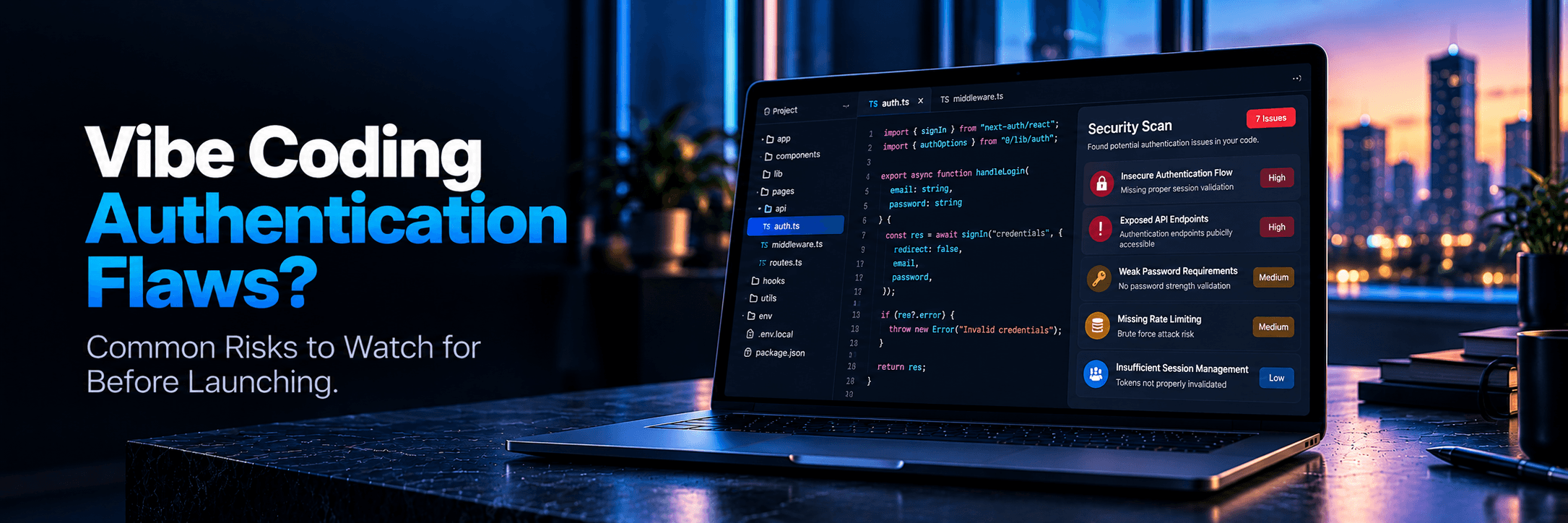
Why Authentication Is the Highest-Risk Gap in Vibe-Coded Products
You launched three weeks ago. Real users are signing up. Your waitlist converted better than expected. The product is alive. Then a Twitter DM arrives with a screenshot: the sender is logged into your app as another customer. The data belongs to that user. The session belongs to that user. Access came through an unauthenticated API route or a password reset link that should have expired two days ago.
This is not a hypothetical horror story. It is the exact scenario that plays out when vibe coding authentication vulnerabilities go undetected until after launch. The AI builder that helped you ship in a weekend is genuinely impressive at interface generation, database wiring, and CRUD scaffolding. But adversarial thinking about authentication edge cases is an entirely different discipline. That gap becomes your problem—and it becomes your customers' problem the moment someone discovers it.
The Silent Danger of Auth: Authentication is fundamentally different from frontend design. A broken CSS layout looks broken; you can see it and fix it instantly. But a broken authentication flow often looks completely normal on the surface. The login screen renders, the reset email arrives, and the dashboard opens. The flaw lives in missing enforcement: expired tokens accepted, sessions never invalidated server-side, and API routes returning sensitive JSON to any unauthenticated curl command.
Broken authentication accounts for the vast majority of early SaaS account takeovers. Our comprehensive vibe coding security overview covers the broader risk landscape. This guide focuses specifically on authentication, providing five practical browser tests you can run in 15 minutes with zero code required.
FLAW 01 • SERVER-SIDE LEAKAGE
Unauthenticated API Routes: Testing Without a Developer
When you log into your app and view your dashboard, your browser executes background HTTP requests to backend endpoints. In a properly secured app, every endpoint strictly verifies an authenticated session before returning private records. AI-generated code routinely misses that verification on specific endpoints even when adjacent routes are protected.
Why AI Builders Miss This: AI tools commonly implement authentication only at the React or Next.js page component level. The UI hides the dashboard from logged-out visitors. That creates the illusion of security. But the underlying API route (e.g., /api/user/profile or /api/organizations/data) may completely lack server-side session checks. The page refuses to render, but the API endpoint gladly spits out raw JSON when requested directly.
Founder-Observable Test: Unauthenticated API Routes
- Step 1: Log into your live app. Open Chrome DevTools (Press
F12 or Right-click > Inspect). Click the Network tab and filter by Fetch/XHR. - Step 2: Navigate between your account settings, profile, or dashboard. Find requests returning user JSON data. Right-click one and select Copy > Copy URL.
- Step 3: Open a completely new Incognito Window (with no active login). Paste the copied URL into the address bar and press Enter.
✗ Bad Result
Raw JSON data loads in the incognito window showing user records or account settings.
✓ Good Result
The browser returns a 401 Unauthorized, 403 Forbidden, or cleanly redirects to the login screen.
⚠️ If Left Unfixed: A malicious actor can write a simple 5-line script to scrape customer records, email addresses, and private app data across your entire platform without ever creating an account.
FLAW 02 • SESSION HYGIENE
Session Tokens That Do Not Expire
A session token is the cryptographic key your app gives your browser upon login. In production-grade software, that key must have an expiration window (hours to days), and clicking “Log Out” must actively invalidate the token on the server.
Why AI Builders Miss This: AI generators frequently implement “client-side logout.” When a user clicks Log Out, the AI code simply runs localStorage.clear() or deletes the cookie in the browser. It never informs the backend database or auth provider to revoke the token. A stolen token or a session on a shared computer remains valid forever.
Founder-Observable Test: Session Token Revocation
- Step 1: Log into your app. Open Chrome DevTools and go to Application > Cookies. Look for session cookies (e.g.,
sb-access-token, next-auth.session-token, auth_token). Note the “Expires / Max-Age” timestamp. - Step 2: Click the official Log Out button in your app interface.
- Step 3: Manually type your protected dashboard URL (e.g.,
/dashboard or /app) back into the browser address bar and hit Enter.
✗ Bad Result
The dashboard re-renders without prompting for credentials, or the cookie expiration is set for 10+ years in the future.
✓ Good Result
The app immediately redirects back to the login page and server logs confirm the session token was revoked.
⚠️ If Left Unfixed: A former employee, a user logging in from a public coworking laptop, or an attacker who extracts a token retains perpetual access to the victim's account.
FLAW 03 • CREDENTIAL RECOVERY
Password Reset Flows That Can Be Hijacked
Password reset is historically one of the most vulnerable user flows in web software. AI builders generate reset systems that visually mirror standard SaaS products: you request a link, an email arrives, you click it, and enter a new password. The vulnerability lies in the validation logic behind that reset token.
Why AI Builders Miss This: A secure reset token must be cryptographically random, expire in 15–60 minutes, and be immediately burned upon use. AI-generated code frequently forgets to mark tokens as “used” in the database, allowing the same link to reset the account password indefinitely.
Founder-Observable Test: Reset Link Re-Use & Expiry
- Step 1: Trigger a password reset email for your test account. Do not click it immediately. Wait at least 2 hours (or test overnight). Click the link after the delay.
- Step 2: If the link opens, complete the reset and set a new password.
- Step 3: Immediately copy that same reset link URL, open an incognito window, paste it in, and attempt to set another new password.
✗ Bad Result
The link works after hours of delay, or permits setting a new password a second time after being used.
✓ Good Result
The link displays an “Expired or Invalid Token” error and refuses to update the password.
⚠️ If Left Unfixed: Anyone who briefly gains access to an inbox or proxy log can hijack the account days later, even after the legitimate user completed the reset.
FLAW 04 • THIRD-PARTY IDENTITY
OAuth Misconfigurations in Lovable and Bolt.new Apps
“Sign in with Google” and “Sign in with GitHub” provide excellent user conversion. But in vibe-coded applications—especially those generated on Lovable or Bolt.new—the OAuth callback handling is frequently misconfigured in ways that expose users to account takeover.
The Two Primary Vulnerabilities: First, missing state parameter verification, which leaves users open to Cross-Site Request Forgery (CSRF). Second, overly permissive redirect_uri whitelisting in your OAuth provider console (e.g., Google Cloud or Supabase), which permits authentication tokens to be redirected to arbitrary attacker-controlled domains.
Founder-Observable Test: OAuth Redirect URI Tampering
- Step 1: On your login page, right-click the “Sign in with Google” button and choose Copy Link Address.
- Step 2: Paste the link into a text editor. Look for the query parameters:
redirect_uri=... and state=.... - Step 3: Change
redirect_uri=https://yourdomain.com/callback to redirect_uri=https://example.com. Paste the modified link into your browser and attempt to log in.
✗ Bad Result
Google proceeds through the login prompt without throwing an “Invalid redirect_uri” configuration error.
✓ Good Result
Google immediately halts the flow with a redirect_uri_mismatch error screen.
⚠️ If Left Unfixed: An attacker can send a crafted login link to your users. When clicked, the OAuth authorization code redirects directly to the attacker's server, compromising the account.
FLAW 05 • PRIVILEGE ESCALATION
Admin Routes Accessible Without Admin Credentials
Most SaaS platforms include an internal dashboard for managing users, overriding billing, or viewing platform metrics. In vibe-coded applications, security around these administrative views is overwhelmingly client-side cosmetic obscurity.
Why AI Builders Miss This: When asked to create an admin panel, the AI writes code like: {user.isAdmin && <AdminLink />}. The navigation link is hidden from standard users. But the backend API routes serving the admin data fail to check user.role === 'admin'. The AI builder assumed that if a user cannot see the button, they cannot reach the data.
Founder-Observable Test: Direct Admin Pathing
- Step 1: Log into your app using a standard, non-admin free-tier account.
- Step 2: In the browser address bar, manually append common admin paths:
/admin, /admin/users, /settings/admin, or /api/admin/metrics. - Step 3: Check if internal user lists, telemetry, or management buttons render on screen.
✗ Bad Result
Any administrative data, customer email lists, or management panels load for the non-admin user.
✓ Good Result
The app returns a strict 403 Forbidden or redirects to the regular dashboard with an “Access Denied” banner.
⚠️ If Left Unfixed: Any curious user who guesses your URL structure can view customer databases, delete user accounts, or grant themselves free enterprise subscriptions.
The 3-Step Browser Test Any Founder Can Run Right Now
Have fifteen minutes before your next meeting? Run these three sequential tests right now. They provide the highest signal across all five flaws in the shortest amount of time:
STEP 1 • CATCHES FLAW 1
Incognito API Test
Log in normally. Open DevTools Network tab. Find a request returning user data as JSON. Copy the full URL. Paste it into an incognito window with no login. If data loads, your API is completely unauthenticated.
STEP 2 • CATCHES FLAW 2
Post-Logout Re-Entry Test
Log out using the app's logout button. Type the protected dashboard URL directly into the address bar. A page that renders without redirecting signals missing server-side session invalidation.
STEP 3 • CATCHES FLAW 5
Direct Admin Path Test
Log in as a standard regular user. Manually navigate to /admin and /admin/users. Any real admin dashboard exposed signals missing server-side role enforcement.
When Self-Testing Is Not Enough: What a Technical Audit Adds
Founder-observable tests are an essential first filter, but they are not a complete security guarantee. They reveal visible symptoms of authentication failure; they cannot inspect the underlying code for subtle vulnerabilities like weak JWT signing algorithms, timing-attack vulnerabilities during password comparison, or complex Row-Level Security bypasses.
A professional technical launch audit dives into the actual repository. Engineers inspect:
- Cryptographic Randomness: Ensuring reset tokens and session IDs use secure entropy rather than predictable timestamps.
- Database-Level Isolation: Auditing Supabase RLS policies to confirm tenant boundaries are enforced even if backend API code has bugs.
- Secret Storage: Verifying private API keys and webhook signing secrets never leak into public client-side JavaScript bundles.
- Rate Limiting: Enforcing brute-force protection across login and reset routes before bots target them.
An audit before real user growth costs a fraction of the reputational damage and legal liability of a post-launch customer data breach.
Frequently Asked Questions
How do I test authentication in my AI-built app?
Start with the three-step browser test: 1) copy protected API JSON endpoints and paste into an incognito window to verify access is denied; 2) click logout and manually enter the dashboard URL to verify server-side session invalidation; 3) navigate directly to /admin from a regular user account to verify role enforcement. A full technical audit adds code-level inspection of JWT secrets, password hashing, and RLS policies.
Can vibe coding create authentication vulnerabilities?
Yes. Vibe coding creates authentication vulnerabilities consistently through missing enforcement. AI builders generate flows that look visually correct under normal happy-path use, but frequently omit boundary protections like server-side API checks, session revocation on logout, and single-use expiration on password reset tokens.
What is the most common security flaw in Lovable apps?
The most common Lovable authentication issue is client-only route protection with unprotected backend API routes or overly permissive Supabase RLS policies. The UI correctly hides protected screens from logged-out visitors, but the underlying API endpoints return user data to direct unauthenticated requests.
How do I know if my login flow is secure?
Run founder-observable tests for the 5 common flaws: verify password reset links expire within 60 minutes and cannot be reused; confirm session cookies are invalidated server-side after logout; ensure OAuth redirect URIs are strictly whitelisted; and test that unauthenticated requests receive 401/403 responses instead of JSON data.
Find Auth Flaws Before Real Users Do
Your AI-built product has real users on it today. Don’t wait for a customer to report an account takeover. Run a free scan or schedule an expert technical audit before opening your next marketing push.
L
Launchieve Technical Review Team
Technical Audit Engineers
We review AI-built codebases across security, infrastructure, APIs, and launch readiness. Our team has audited products built with Cursor, Lovable, Bolt.new, Replit, Supabase, Firebase, and mixed AI-assisted workflows. Every finding in this article comes from patterns observed in real technical reviews — not theoretical scenarios.