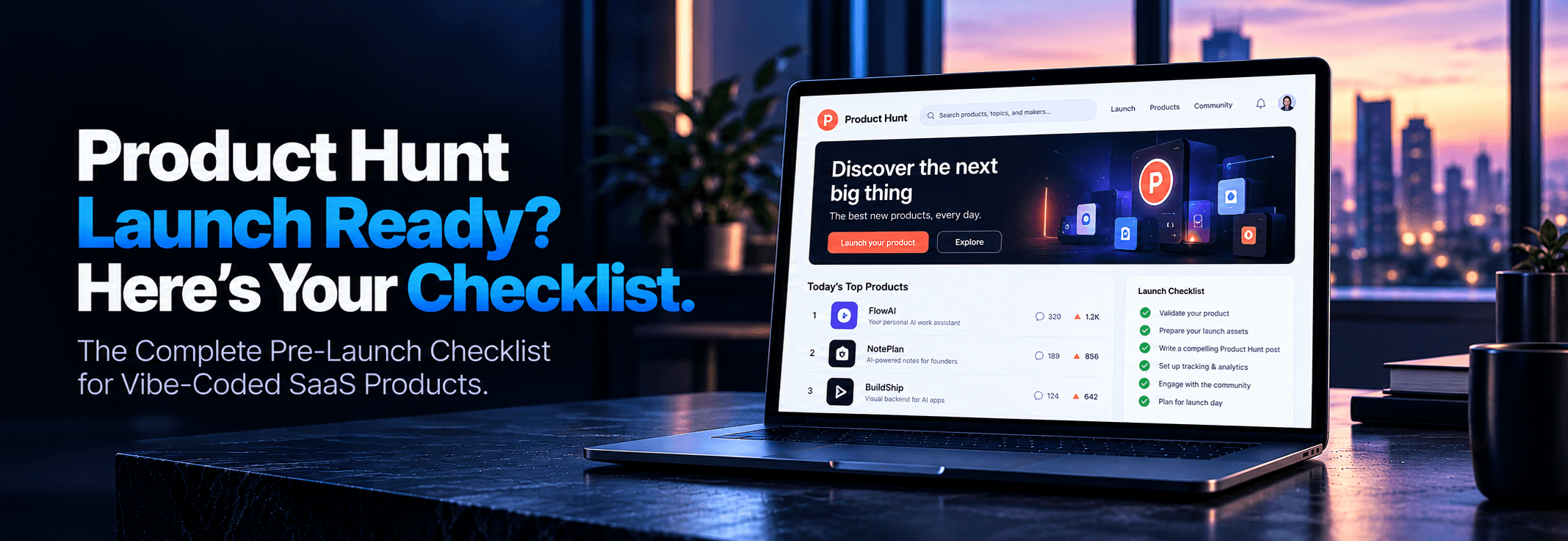
Product Hunt Launch Checklist for Vibe-Coded SaaS (2026)
You built your SaaS in weeks, not months. Bolt.new scaffolded the backend. Lovable wired up the UI. The cursor refactored the messy bits. Now you are staring at a Product Hunt submission form, wondering if your app can handle what is coming. The direct answer: probably not. Product Hunt can send a sudden wall of traffic during the first four hours that exposes unscaled databases, missing rate limits, and fragile auth flows. This checklist closes that gap before launch day.
The Traffic-Spike Reality for Vibe-Coded SaaS
You built your SaaS in weeks, not months. Bolt.new scaffolded the backend. Lovable wired up the UI. Cursor refactored the messy bits. Now you are staring at a Product Hunt submission form, wondering if your app can handle what is coming.
The direct answer: probably not without deliberate preparation.
Product Hunt does not trickle in steady, predictable traffic. It can send a wall of hundreds of simultaneous visitors within the first four hours. Many SaaS products survive that spike because conventional engineering teams stress-test infrastructure during the build cycle. But vibe-coded products built fast with AI tools can hit catastrophic failure points all at once: unscaled databases, missing rate limits, fragile auth middleware, and missing error boundaries.
The code works flawlessly with ten test users. But it has likely never faced ten thousand requests. This comprehensive checklist closes that gap before launch day.
Why Product Hunt Is Uniquely Risky for Vibe-Coded Products
Product Hunt traffic behaves differently from organic search or slow referral traffic. The moment your listing goes live at 12:01 AM PST, visitors arrive in high-velocity clusters. Everyone clicks signup. Everyone triggers the auth flow. Everyone loads the primary onboarding dashboard at nearly the exact same second.
Traditional engineering teams routinely benchmark throughput and connection pooling. Vibe-coded products almost always skip that step because AI builders focus exclusively on feature delivery:
⚠️
Supabase Connection Limits
The Supabase free tier caps direct database connections at roughly 60. A modest Product Hunt spike exhausts that ceiling in minutes, locking out new signups and throwing 500 errors.
🛑
Missing Rate Limiting
AI-generated Next.js / Express API routes have zero throttling by default. A single aggressive scraper or enthusiastic visitor can completely saturate the backend event loop.
🔄
Fragile Auth Middleware
Lovable and Bolt.new generate auth code that succeeds on happy paths. Edge cases like expired JWT tokens, concurrent logins, and OAuth callback race conditions break under simultaneous traffic.
💥
Missing Error Boundaries
Without React error boundaries, an upstream 500 error or null property crashes the entire single-page app into a blank white screen rather than displaying a graceful fallback message.
The stakes are severe. A botched Product Hunt launch means far more than lost upvotes—it burns the highest-intent early adopters and brand advocates who would otherwise drive compounding word-of-mouth growth.
Pre-Launch Safety Standard: Before committing to a launch date, run a thorough audit through Launchieve’s Technical Launch Audit. The diagnostic report pinpoints the exact fixes needed and calculates the preparation timeline required.
Pre-Launch Week: Technical Checks Specific to AI-Built Products
12 Technical Checkpoints
Give yourself at least five business days before launch to work through this list. If critical infrastructure issues surface, postpone the launch date—shipping late is always better than crashing live on front-page Product Hunt traffic.
1
Database Connection Limits & Pooling
Check your Supabase or managed database tier. Free-tier projects must upgrade to Pro or enable connection pooling via PgBouncer before launch day. Confirm the connection pool size can handle 3–5x your anticipated peak traffic.
Bolt.new and Lovable often scaffold database tables without RLS enabled, or with overly permissive policies (such as true USING (true)). Audit every table in your database dashboard. Confirm authenticated users can only view, mutate, or delete records belonging strictly to their own user ID.
3
API Rate Limiting
Add rate limiting to every public-facing endpoint using Upstash Redis, express-rate-limit, or Supabase Edge Function throttling. Recommended production minimums: 100 requests/minute per IP on authentication routes, and 300 requests/minute on data routes.
4
Error Handling & Fallback Boundaries
Walk every user-facing flow and deliberately trigger network and API failures (e.g., simulating slow DB responses or simulated 500 status codes in DevTools). A generic "Something went wrong, please retry" card is acceptable; a blank white screen is a launch killer. Wrap key components in React Error Boundaries.
5
Load Testing (k6 or Artillery)
Execute an automated load test simulating 200–500 concurrent virtual users hitting your landing page, auth endpoint, and main dashboard. Monitor database CPU, p95 API response times, and error spikes. Fix any bottlenecks that degrade below 500ms under load.
6
Environment Variables & Secrets Audit
Cursor-generated code frequently leaves secrets in code comments or committed .env.example files. Search your entire repo for sk_live_, service_role, and private tokens. Rotate any key that was ever typed into an AI prompt window or pushed to GitHub.
7
Logging & Telemetry Setup
Set up Sentry for client- and server-side error capturing, and LogRocket or Datadog for session replay and performance telemetry. Operating through peak Product Hunt traffic without real-time observability makes rapid hotfixing virtually impossible.
8
CORS Configuration Hardening
AI coding tools routinely generate Access-Control-Allow-Origin: * to avoid developer CORS warnings during local prototyping. Lock this down to your production domain (e.g., https://app.yourdomain.com) to prevent third-party cross-origin abuse.
9
Authentication Edge Cases
Test end-to-end password reset flows, brand-new Google/GitHub OAuth logins, session expiration handling, concurrent logins from multiple devices, and signup attempts using an email address that is already registered in the system.
10
Payment Flow & Webhook Verification
If you have paid tiers, complete a real checkout flow using Stripe test mode. Confirm that Stripe webhooks fire reliably, customer records update in your database, the account upgrades instantly, and failed transactions do not leave the user account in an undefined state.
11
Mobile Responsiveness on Real Hardware
A massive portion of Product Hunt browsing happens on mobile devices (iOS Safari and Android Chrome). Test your onboarding and core app screens on physical smartphones, not just browser emulators. Fix overflowing menus, unresponsive modals, and tap target clipping.
12
Cold Start Latency Mitigation
Lovable and Bolt.new apps frequently deploy on serverless edge runtimes (Vercel, Supabase Functions, Cloudflare). Audit cold start response latency. If your first payload takes 3+ seconds to respond, configure provisioned concurrency or lightweight bundled routes to prevent visitor drop-off.
Pre-Launch Week: GTM Checks for a Vibe-Coded SaaS
8 Go-To-Market Steps
The technical checks keep your application alive under traffic. The go-to-market checks determine whether that traffic converts into activated, paying users or leaves after thirty seconds of confusion.
1
10-Second Landing Page Clarity Test
Ask five people who have never seen the product to look at your homepage for exactly 10 seconds, then close the tab. Ask three questions: What does it do? Who is it for? What is the next step? If their answers are hesitant or inaccurate, rewrite your hero headline and call-to-action before launching.
2
Onboarding Flow Audit (Sub-3-Minute Aha Moment)
Time the exact journey from the first click on "Get Started" to the user experiencing their first tangible product outcome. If it takes longer than three minutes, ruthlessly remove form fields, disable mandatory email verification during the trial, and inject pre-filled sample templates.
3
Hunter Selection & Early Outreach
Reach out to your target Hunter at least two weeks before launch. An established Hunter with a track record of Top 5 finishes brings credibility and notifies their followers. Provide them with early staging credentials, your asset kit, and draft copy.
4
Teaser Posts on X and LinkedIn
Publish at least two build-in-public teaser updates during the week leading up to launch. Share short video snippets of features solving specific user pain points to warm up your community before the midnight PST drop.
5
Email Waitlist Warm-up Campaign
Send an email to your waitlist subscribers three days prior to notify them of the upcoming launch. Then send a concise launch-day broadcast right at 12:05 AM PST with a single link and one clear ask: check out the launch and join the conversation.
6
High-Impact Gallery Assets & Social Proof
Prepare crisp screenshots with clear annotations, a 45-second high-energy demo video, and at least two genuine quotes or case study metrics from beta testers. Gallery visual quality directly impacts click-through rate from the Product Hunt leaderboard.
7
Product Hunt Listing & First Maker Comment
Set up your "Upcoming" Product Hunt page at least one week ahead to collect subscriber followers. Pre-write your launch tagline (under 60 characters), promotional copy, and the opening Maker Comment explaining the founding story and why you built the product.
8
12:01 AM PST Timezone Strategy
The Product Hunt leaderboard resets at exactly 12:01 AM Pacific Time. Launching at 12:01 AM PST gives your listing the maximum 24-hour voting window. If you reside in European or Asian timezones, adjust sleep schedules or schedule automated releases accordingly.
Need Positioning Certainty? Before locking in your landing page and launch messaging, explore Launchieve’s Go-To-Market Launch Audit to eliminate copy confusion, validate pricing tiers, and optimize your onboarding funnels.
AI Scaffolding vs. Product-Hunt-Ready Architecture
Compare the typical defaults output by AI coding assistants against the hardened configuration required to survive Product Hunt front-page traffic:
Layer
AI Scaffold Default (Bolt / Lovable)
Failure Point Under Spike
Production-Ready State
Database Pool
Direct connection, ~60 conn cap
Pool exhaustion within 5 minutes (500 errors)
PgBouncer enabled with pooled connections
API Rate Limiting
Unrestricted endpoint routes
Scrapers & bots overload event loop
Redis rate limiter (100 req/min auth)
Auth Middleware
Client-side session checks
Infinite redirect loops on expired tokens
Server-side JWT validation & safe refreshes
Error Handling
Uncaught React runtime errors
Blank white screen on unhandled exceptions
React Error Boundaries with retry UX
CORS Policy
Access-Control-Allow-Origin: *
Unauthorized origin scraping & API abuse
Explicitly scoped production origin domains
Telemetry
console.log() statements
Zero real-time visibility into production breaks
Sentry + LogRocket session monitoring
Day-Of: What to Monitor if You Built With Bolt.new, Lovable, or Cursor
Launch day is not for writing feature code or refactoring architectures. Treat launch day entirely as a high-alert monitoring and triage operation. Have these eight operational tabs pinned and open prior to 12:01 AM PST:
📊
Sentry Real-Time Error Feed
Watch for new unhandled exceptions in real time. Any rapid spike occurring in the first 30 minutes demands immediate triage.
🎥
LogRocket / FullStory Replays
Filter sessions by "rage clicks" and early drop-offs. These replays pinpoint UX dead-ends and broken onboarding steps instantly.
🗄️
Database Pool & CPU Monitor
Monitor active connections against your database ceiling. If connection usage exceeds 70%, increase pool capacity before lockouts occur.
🔔
Automated Uptime Ping Alerts
Set up UptimeRobot or Better Stack to ping your landing page and auth route every 60 seconds, dispatching SMS or push alerts on failure.
⏪
10-Minute Rollback Plan
If a critical bug cannot be patched within 10 minutes, know exactly how to trigger a fast redeployment of the prior stable commit or enable a maintenance page.
💬
Product Hunt Comment Feed
Respond to every single comment thoughtfully within minutes. The Product Hunt algorithm actively favors listings with sustained maker engagement.
💳
Stripe & Payment Webhook Logs
Monitor webhook processing latencies and failed payment notifications. Ensure customers who upgrade receive instant entitlements.
📬
Support Inbox Rotation
Rotate customer support duty in 2-hour shifts. For solo founders, establish clear triage rules: account login issues get answered in 15 minutes; feature requests wait until tomorrow.
Post-Launch: The 48-Hour Survival Checklist
The launch work does not conclude at midnight when the voting day ends. The subsequent 48 hours determine how much of that transient spike turns into retained, revenue-generating users.
Triage Bug Reports: Classify every support ticket and feedback message into Critical (breaks core journey), High (causes friction in non-essential workflows), and Low (cosmetic or nice-to-have). Hotfix Critical issues immediately.
Follow Up With Voters & Commenters: Send a personal direct message or email reply to anyone who left a detailed comment on your listing. These individuals represent your highest-intent potential brand champions.
Post a Maker Update: Publish an authentic "Day 2" comment on your Product Hunt listing detailing lessons learned, bugs fixed, and what is shipping next. This signals that real, dedicated builders are operating the product.
Convert Free-Trial Signups: Export all launch-day registrations. Identify the top 20 most active accounts and personally invite them to a 15-minute customer discovery call with the founders.
Thank Early Users: Dispatch a concise, genuine thank-you email to every user who signed up on launch day. Keep it under one paragraph with zero aggressive sales pitches.
Document What Broke: Compile every edge case, query slowdown, and user question into your product engineering backlog. This forms the foundation for your post-launch stabilization sprint.
Update Public Changelog: Publish your launch-day bug fixes and patches publicly. Transparent updates prove software velocity and reassure prospects that bugs get resolved within hours.
Publish Post-Launch Recap Content: Draft an honest build-in-public retrospective on X or LinkedIn detailing your metrics, stack challenges, and launch lessons. This keeps momentum alive long after the leaderboard closes.
Frequently Asked Questions
How do I prepare my vibe-coded app for Product Hunt?
Start with a full technical audit at least two weeks before launch. Focus on database connection limits, API rate limiting, auth edge cases, and error handling. These four areas are especially likely to fail under Product Hunt traffic. Once the technical layer is solid, move to the GTM checklist: landing-page clarity, onboarding speed, teaser posts, and email-list warm-up. The goal is launch-day confidence in infrastructure capacity and message clarity.
What should I check before my Product Hunt launch?
During the week before launch, run two parallel checklists: technical and go-to-market. Technical checks include database connection limits, RLS policies, rate limiting, error handling, load testing, environment variables, logging setup, CORS config, auth edge cases, and payment flow testing. GTM checks include landing-page clarity, onboarding timing, hunter selection, teaser posts, email warm-up, social proof assets, PH listing setup, and timezone planning. Give yourself the full week.
What technical risks does a Product Hunt launch create for an AI-built app?
The main risk comes from low-traffic testing without realistic stress testing. Product Hunt exposes infrastructure assumptions made during AI scaffolding. Common failure points include Supabase free-tier connection-pool exhaustion at around 60 concurrent database sessions, missing API rate limiting, fragile auth middleware under OAuth callback races and concurrent logins, and hardcoded secrets. Load test before launch. Many of these problems are fixable within a day once identified.
Ready to Launch Without the Guesswork?
Don’t waste your Product Hunt launch on avoidable technical or messaging failures. Run Launchieve’s free automated scan to catch surface issues in 2 minutes, or book a comprehensive pre-launch audit for expert human verification.
We review AI-built codebases across security, infrastructure, APIs, and launch readiness. Our team has audited products built with Cursor, Lovable, Bolt.new, Replit, Supabase, Firebase, and mixed AI-assisted workflows. Every finding in this article comes from patterns observed in real technical reviews — not theoretical scenarios.
Product Hunt Launch Checklist for Vibe-Coded SaaS (2026) | Launchieve