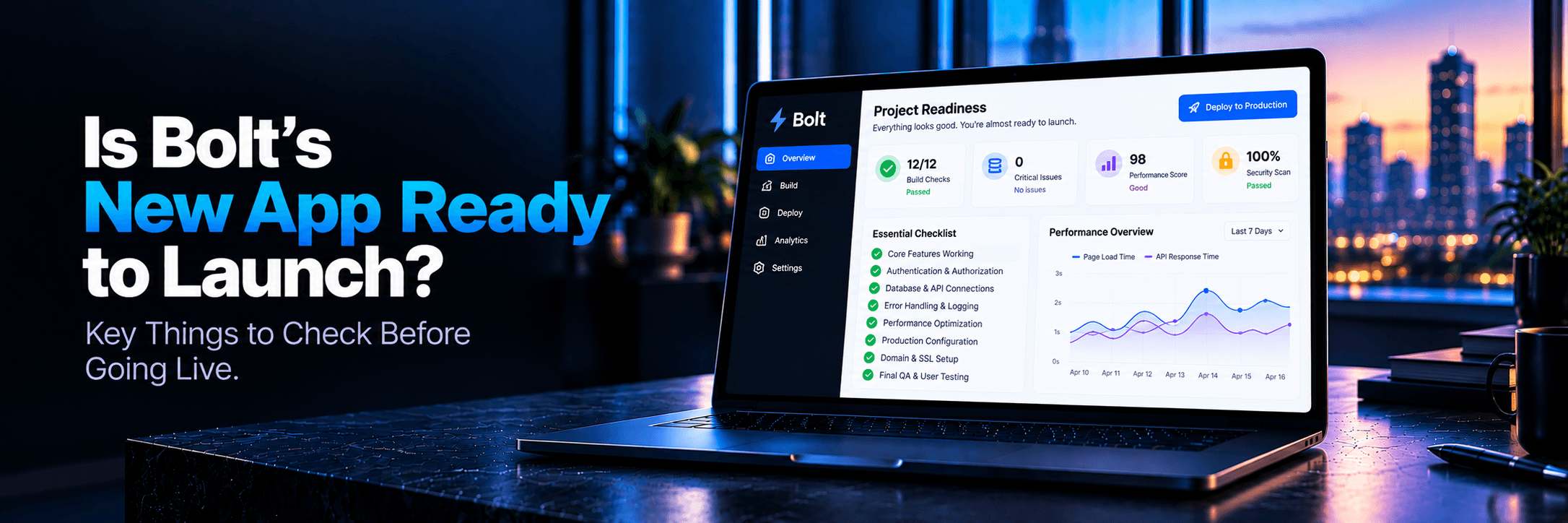
That Pause You're Feeling Is Pattern Recognition
You’ve been in build mode for weeks. The app works. Every screen opens cleanly. The data appears in the right place. Your Netlify or Vercel link loads on the first try. Two friends said it looks great. The launch tweet is half-drafted. The Product Hunt submission is open in another tab. Something stops you.
Working Rule: That pause you’re feeling is not imposter syndrome. It’s pattern recognition. Launching a web app can hurt in a very specific way: the product appears genuinely, technically sound until real users arrive, auth breaks, payments fail silently, or someone’s data gets overwritten.
Bolt.new is a remarkable tool that lets non-technical founders build functional software faster than was possible even a year ago. It gets you to a threshold. It does not carry you across it. Knowing that distinction is the entire game.
This post is a frank checklist. Read all ten signs below. If none apply to your app, you might be ready to launch. If you recognize yourself in at least three, you have specific, practical work to do first before sending that first invite link.
What Bolt.new Does Well vs. What It Leaves to You
Bolt.new is genuinely impressive at rapid scaffolding. It takes a natural-language description, generates code inside a browser-based WebContainer environment, wires up Supabase integrations, creates auth flows, and connects form inputs to database writes. For a non-technical founder, it is the closest thing to having a junior developer on call 24/7.
What it does not do is production-harden your app. The WebContainer it builds in is an isolated, sandboxed prototyping environment. It does not enforce the operational discipline that professional developers apply before shipping to real customers:
What Bolt.new Delivers
- Instant UI prototypes & pages
- Basic Supabase schema & queries
- Interactive React/Next.js components
- Starter login/signup forms
What Remains on You
- Secrets management & Git sanitisation
- Real error observability (Sentry)
- Live payment webhook fulfillment
- Backup, rollback & edge case testing
SIGN 1 OF 10 • AUTHENTICATION
Your Authentication Flow Was AI-Generated and Nobody Manually Tested It
What it looks like: You signed up once on your own laptop, logged in, and it worked. You assume authentication is fine.
Why Bolt.new causes this: Bolt.new generates auth flows (typically Supabase Auth) from training patterns. Gaps surface during unexpected user actions: submitting the password reset form twice, mobile browsers blocking third-party cookies, or autofill pasting unexpected formats. Most critically, the Redirect URL in your Supabase project settings often still points to a development localhost URL rather than your live production domain.
Real-world consequence: User #1 cannot get into your app. They click password reset and get a cryptic error or 404. At 11pm you scramble in the Supabase console while an excited early adopter leaves forever.
Fix it before launch: Walk an unfamiliar user through signup, login, password reset, and logout on a device that is not yours. Verify production redirect URLs in Supabase Auth settings.
SIGN 2 OF 10 • SECRETS & SECURITY
Your Environment Variables Are Visible in the Repository
What it looks like: You pushed your codebase to GitHub to deploy to Vercel/Netlify, and your .env file or hardcoded API keys went with it.
Why Bolt.new causes this: Bolt.new’s WebContainer keeps environment variables local in browser memory. When exporting or committing to Git, non-technical founders frequently push .env files directly. Furthermore, putting a Supabase service_role secret in client code bypasses Row Level Security entirely—allowing anyone to delete or dump your database.
Real-world consequence: Automated scrapers harvest exposed credentials in under five minutes. You wake up to a $4,000 OpenAI bill, a drained database, or a flagged Stripe account.
Fix it before launch: Run git log --all --full-history -- "**/.env*" to check for committed files. Add .env to .gitignore. Move all secrets to Vercel/Netlify settings and rotate any exposed keys.
SIGN 3 OF 10 • OBSERVABILITY
You Have No Error Monitoring Connected
What it looks like: “If something breaks, I’ll hear about it from a user.”
Why Bolt.new causes this: Bolt.new scaffolds UI and functionality; it never installs observability. Without Sentry or LogRocket, you have zero visibility into JavaScript exceptions, failed API requests, or database timeouts on browsers and screen sizes you don't own.
Real-world consequence: Most users don’t report bugs; they simply leave. You see drop-offs in analytics without knowing what broke.
Fix it before launch: Install Sentry (free tier at
sentry.io). Setup takes 15 minutes and immediately alerts you to runtime crashes.
SIGN 4 OF 10 • PAYMENTS & BILLING
Your Payment Flow Has Never Processed a Real Transaction
What it looks like: You tested Stripe with 4242... test numbers in test mode and everything looked green.
Why Bolt.new causes this: Test mode does not verify live webhook endpoints, live pricing IDs (price_* vs price_test_*), or fulfillment logic under real network latency.
Real-world consequence: A real user pays, Stripe charges their card, but your webhook fails silently. The user is charged, gets no access, and files a dispute with their bank.
Fix it before launch: Run a real $1 transaction with your personal credit card in live mode. Verify the webhook fires, the database grants entitlements, and then refund yourself.
SIGN 5 OF 10 • ONBOARDING & UX
Your Onboarding Has Never Been Walked Through by a Non-Technical User
What it looks like: The product makes total sense to you because you built it and know where every button leads.
Why Bolt.new causes this: Bolt.new generates functional screens, but has no concept of first-time user clarity or empty states. What feels obvious from the inside can completely confuse a first-time visitor.
Real-world consequence: Activation rate hovers near zero. Users sign up, stare at a blank dashboard for 30 seconds, and bounce without taking the core value action.
Fix it before launch: Ask three people who fit your target persona to complete your onboarding without guidance. Watch silently and record where they hesitate.
SIGN 6 OF 10 • DATABASE BACKUPS
Your Database Has No Backup or Rollback Strategy
What it looks like: “My data is in Supabase. Managed databases handle backups automatically.”
Why Bolt.new causes this: Supabase free and lower tiers have limited backup windows without self-serve point-in-time recovery (PITR). Bolt.new never configures backup automation.
Real-world consequence: A buggy migration or accidental deletion corrupts customer rows, leaving recovery impossible.
Fix it before launch: Open Supabase → Settings → Database. Check your retention window and set up automated scheduled pg_dump exports using GitHub Actions.
SIGN 7 OF 10 • PRICING & POSITIONING
Your Pricing Page Has Never Been Reviewed Against a Real Competitor
What it looks like: You chose $29/mo or $49/mo because it seemed reasonable and created three standard tiers.
Why Bolt.new causes this: AI models generate generic SaaS pricing tables. They cannot evaluate whether a generous free tier cannibalizes paid upgrades or if your buyer prefers per-seat versus usage billing.
Real-world consequence: You mistake a pricing mismatch for a product failure.
Fix it before launch: Review 5 direct competitors. Screenshot their tiers, map their features against yours, and ensure every price deviation is intentional.
SIGN 8 OF 10 • MARKET VALIDATION
No One Outside Your Personal Network Has Seen the Product
What it looks like: Three friends told you it was cool.
Why Bolt.new causes this: Bolt.new makes MVP creation so fast that founders build in isolation without validating demand with strangers. Personal contacts are biased toward encouragement.
Real-world consequence: Spending months building features for an audience that doesn't exist.
Fix it before launch: Share your app in a relevant Reddit community, niche Discord, or X thread where no one knows you personally, and observe honest reactions.
SIGN 9 OF 10 • HERO COPY & POSITIONING
Your Product Description Could Be from Any SaaS on the Market
What it looks like: “The all-in-one platform for modern teams to collaborate, automate, and grow.”
Why Bolt.new causes this: AI prompt responses default to buzzwords like “streamline” and “seamless” without stating a concrete claim.
Real-world consequence: Visitors bounce because they have no idea what your app actually does or who it is for within the first five seconds.
Fix it before launch: Write a 1-sentence hero: [Target persona] can [single concrete action] to achieve [measurable outcome].
SIGN 10 OF 10 • INCIDENT RESPONSE
You Have No Defined Support Channel or Incident Response Path
What it looks like: “I'll check my personal email and deal with issues as they arise.”
Why Bolt.new causes this: AI assistants do not define operational runbooks: What happens in the first 30 minutes of a major outage? Where do users report bugs?
Real-world consequence: Broken features go unnoticed for days, and early users leave angry negative reviews on public forums.
Fix it before launch: Add a clear support widget (Crisp, Intercom, or dedicated email) and create a 1-page incident checklist for downtime.
What to Do Before You Send a Single User to Your Bolt.new App
Here is your 10-step launch preparation punchlist:
1. Clean Device Auth TestWalk an unfamiliar user through signup, login, password reset, and logout on a separate clean device.
2. Git Secrets AuditConfirm .env is in .gitignore, search for committed API keys, and rotate exposed credentials.
3. Error ObservabilityConnect Sentry or LogRocket to track runtime exceptions and API failures before real users arrive.
4. Live $1 Payment TestRun a live-mode credit card transaction in Stripe, verify webhook entitlement grants, then refund yourself.
5. Non-Technical Onboarding TestObserve three target users attempting to reach first value without guidance.
6. Database Backup ValidationConfirm Supabase backup settings and set up pg_dump exports.
7. Competitor Pricing ReviewBenchmark your tiers, limits, and packaging against 5 live competitors.
8. Stranger FeedbackShare in niche communities with strangers to test real product appetite.
9. Concrete Hero CopyEnsure your headline states who it is for, what it does, and the measurable outcome.
10. Incident Response SetupSet up a monitored support channel and write down your 30-minute outage playbook.
Need an expert technical review of your Bolt.new build? Check out our Technical Launch Audit.
Frequently Asked Questions
Is Bolt.new production-ready out of the box?
Bolt.new produces structurally functional code. It can work in production for some period of time. “Production-ready” in a professional sense means protection against real-world failure modes: security vulnerabilities, edge case input handling, observability, backup, recovery, and scalable infrastructure. Bolt.new’s WebContainer is optimized for rapid prototyping, not operational hardening. The generated code needs an audit, real usage testing, and monitoring before being called production-ready without qualification.
What does Bolt.new not include when you deploy?
Bolt.new does not include: error monitoring, observability tooling, automated database backup configuration, rate limiting, abuse protection, security headers, CSP configuration, load testing, performance profiling, payment flow verification against live credentials, user-tested onboarding flows, or incident response procedures. Every code generation tool leaves operational decisions that require human judgment.
Can I launch a real SaaS built with Bolt.new?
Yes. Bolt.new-generated codebases are real codebases. They can be deployed, scaled, and maintained. The real question concerns your specific app’s preparation for real users. Address the 10 operational gaps in this post, and a Bolt.new-built SaaS can reliably serve paying customers.
What are the biggest risks of launching a Bolt.new app to real users?
The highest-impact risks we repeatedly see are: authentication flows that fail under untested edge cases; exposed API keys and secrets leading to unauthorized access or massive API bills; payment processing that works in test mode but fails silently in production; and the complete absence of error monitoring that leaves bugs invisible until users churn.
Before You Hit Publish
The founders who build the best products are not the ones who launch fastest. They launch correctly the first time. Not sure which gaps apply to your specific Bolt.new app? We will tell you.
L
Launchieve Technical Review Team
Technical Audit Engineers
We review AI-built codebases across security, infrastructure, APIs, and launch readiness. Our team has audited products built with Cursor, Lovable, Bolt.new, Replit, Supabase, Firebase, and mixed AI-assisted workflows. Every finding in this article comes from patterns observed in real technical reviews — not theoretical scenarios.